Showing posts with label Utilities. Show all posts

Nuance OmniPage Professional v18.0 Multilanguage Portable

Nuance OmniPage Professional v18.0 Multilanguage Portable | 150,08 Mb

OmniPage uses optical character recognition (OCR) technology to transform data from scanned pages or image files into electronic files you can edit, search and share in the format of your choice. In just a few clicks you could be completing tasks that have previously taking hours. OmniPage unlocks the potential of the data in your documents. Once you’ve scanned a document or opened an image file - from any scanning device - you can do limitless things with it; save it to the format of your choice; archive it to your network for universal access; extract the information automatically and repurpose it.

Here are some key features of "OmniPage":
Superior OCR accuracy:

· Improved OCR engines deliver 99 percent+ accuracy for document conversion and archiving business critical documents.
Maintain perfect formatting:
· Converted documents look exactly like the original and are easier to edit than ever before, complete with columns, tables, bullets and graphics.
Simply the easiest to use:
· Converting documents doesn't have to be complicated. The Quick Convert View gets it done in seconds - there's no need to learn a lot of options and tools.
Unlock PDF files:
· Turn any PDF file into your favorite PC application for easy editing. You can also scan documents into searchable versions of these formats for instant access by desktop search utilities.
Works with any scanner:
· If your device can scan then it can work with OmniPage. Mobile scanners, desktop scanners, All-in-one and Multi-function printers all work more productively and with better accuracy using OmniPage
A picture is worth 1,000 words:
· Capture text with a digital camera or iPhone. Quickly convert your pictures to text documents with the most accurate 3D Correction technology available.
Send to Amazon Kindle:
· Scan a document, automatically convert into a readable format and send it to the Kindle electronic book reader in one easy step.
Supports all your favorite applications:
· Supports the widest range of output formats including PDF, HTML, Corel WordPerfect, Microsoft Word, Excel and PowerPoint 2007 plus many more formats.
Recognizes over 120 languages:
· Process, edit and store documents from anywhere in the world. Now includes Chinese, Japanese and Korean.

Whats new in v 18.0
Better Performance!
- 67% improved layout accuracy
- 18% improved word accuracy
- 50% more compressed Searchable PDF-MRC files without loosing any word accuracy
- 30% faster processing on multipage PDF documents

NEW! Start Page provides guidance
When OmniPage opens it presents clear options to open or scan documents, open OmniPage Project Documents and provides pre-programmed workflows to take your documents from one format to another in one easy step.

NEW! Most productive and accurate searchable PDF ever - eDiscovery Assistant for searchable PDF
PDF files are everywhere and can come from a variety of sources. They can include scanned pages, embedded images, and other types of information. Many of these elements don’t include searchable text. The new eDiscovery Assistant for searchable PDF is a revolution in safely converting a single PDF or batches of PDFs of all types into completely searchable documents. Now you don’t have to open PDF files one by one, or use an OCR process that might unintentionally wipe out valuable information.

NEW! Connect and convert in the Cloud
Download input files from web storage sites and return recognition results there. OmniPage provides native integration with Evernote and Dropbox. In addition, the included Nuance Cloud Connector application provides access to a number of cloud services including Microsoft Live SkyDrive, GoogleDocs, Box.net and many more. The added benefit of the Nuance Cloud Connector is its ability to integrate directly with Microsoft Windows providing easy drag-and-drop access directly to cloud services. The Nuance Cloud Connector is also upgradeable to a more feature rich version of the product called Gladinet Cloud Desktop Pro. This enhanced version adds additional functionality for using cloud services for automatic backup and file synchronization.

Better scanned images produces better accuracy - Improved Pre-Processing
The algorithms for removing speckles and dots from page images to help increase accuracy are improved, with a choice of despeckling methods (Normal, Halftone, Salt & Pepper).

NEW! Poorly scanned images need OmniPage with scanner enhancement tools (SET Tools)
When whiteboard content is captured by digital camera, the text and diagrams can be enhanced for maximum readability. Auto-crop pages to have margins detected and reduced; the punch hole remover and border tools produce clean page borders without scanning shadows and marginal notes.

NEW! Automatic language detection
Let the program assign a single language to each incoming page during unattended processing. It chooses from the languages with dictionary support that use a latin-based alphabet (so Russian and Greek are excluded) plus Japanese, Korean and Chinese (Traditional and Simplified). When this feature is enabled, no manual language selection is necessary.

NEW! Better control over determining blank pages
A new sensitivity setting increases the accuracy of recognizing blank pages that may scan as light gray or colored pages by allowing the threshold for blankness to be adjusted. This improves the use of two controls: the new pre-processing option ‘Drop blank pages’ and the existing saving option ‘Create a new file at each blank page’.

NEW! ISIS scanners
Scanners that support ISIS drivers can be used to scan directly into OmniPage.

System Requirements:
- Windows® 7 32-bit or 64-bit Editions, Windows Vista 32-bit or 64-bit Editions with Service Pack 2, Windows XP 32-bit Edition with Service Pack 3
- A computer with a 1 GHz Intel® Pentium®, or higher, or equivalent processor. Multi-Core processor recommended for advanced performance
- 512 MB of memory (RAM), 1 GB recommended for advanced performance
- 250 MB of free hard disk space for the application files and sample images, plus 100 MB working space during installation. An additional 230 MB for RealSpeak® Solo speech modules. 150 MB for PDF Create and 500 MB for PaperPort. 30 MB for Nuance Cloud Connector
- 1024x768 pixel color monitor with 16-bit color or greater video card
- CD-ROM drive for installation
- WIA, TWAIN or ISIS scanner driver
- 2-megapixel digital camera with auto-focus or higher for digital camera text capture
- Web access needed for online Activation, Registration, Live Update and Nuance Cloud Connectors

Download

CLICK HERE FOR DOWNLOAD LINKS

FoolishIT D7 5.8.10 + Portable


FoolishIT D7 5.8.10 + Portable | 15.19/15.85 Mb


FoolishIT D7 is a technical program computer , which provides an interface for user to easily perform a variety of settings in Windows and related tasks. FoolishIT D7 tool provides an overview of the entire system, from the version of Windows and antivirus installed. Its functions include online malware removal, repairing Windows, general maintenance of the computer, CPU and RAM, and operating system optimization, IP, data backup online, among other features.

At first startup, the FoolishIT D7 scans your computer to give comprehensive statistics on the computer for repair. The main interface includes tabs for Info, Maint, Repair, Tweaks, Malware, Offline, and DataGrab dSupport. The Info tab displays general information about the computer , what operating system you have, antivirus, CPU speed, etc..

FoolishIT D7 is a very extensive, it is recommended for use exclusive of technicians computer . You can damage your operating system unless you know what you’re doing. The details full operation are available on the website developers.

FoolishIT D7 is a tool for PC technicians to aid in many tasks and provide a uniform procedure for technicians to follow. It has many capabilities and many uses including but not limited to:

offline and live malware removal assistance via many internal and 3rd party tools
repairing Windows after malware removals
general PC maintenance
offline and live registry editing with mass search & delete features
offline and live data backup
CPU/RAM stress testing
information gathering and quality assurance uses
OS Branding
IP/DNS configuration + backup & restore
shortcuts to frequently used Windows components
quick access to frequently used Windows tweaks
numerous right-click context menu (in Windows Explorer) features for working with files and directories
wrappers / one-click execution options for frequently used command line tools
synchronization of Malware Scan definition files
automatic updates of all your favorite 3rd party tools via Ketarin

www.foolishit.com

DownLoad
FoolishIT D7 5.8.10
Letitbit
Turbobit

FoolishIT D7 5.8.10 Portable
Letitbit
Turbobit

DiffVue 4.8.2.212

 
DiffVue 4.8.2.212 | 18.2 MB

DiffVue is a folder and file compare/differencing utility. This contains 7 main applications DiffVue, DiffFTP, DiffEditor, FullVue, DiffSearch, DiffVueUpdate and HexCompare and they are all Unicode applications.

You can consider DiffVue as a mini Windows Explorer, plus you can display up to two folders in 2 views. Although DiffEditor and FullVue can be launched from Windows, they are tightly coupled with DiffVue, and called from DiffVue.

- Does delete / copy / rename file(s) & folder(s) and undo the previous file operations.
- Supports full drag-n-drop to/from Windows Explorer.
- Compares two text files whether Unicode or ASCII, by launching DiffEditor.
- Synchronizes two folders.
- Creates a single PDF file using existing file or folder.
- Provides the enhanced search tool including regular expression by launching DiffSearch.
- Displays the contents of the most popular document formats by launching FullVue.
- Displays two binary files in hexadecimal format by launching HexCompare.
- Provides set of useful tools for resource files to make localization process simple.

Home Page - http://www.diffvue.com/

Download links:
http://adf.ly/7FpUX

Norton 360 2012 v6.1.2.10 Incl Activation + Updates (284 MB)

 
Norton 360 2012 v6.1.2.10 Incl Activation + Updates | 284 MB


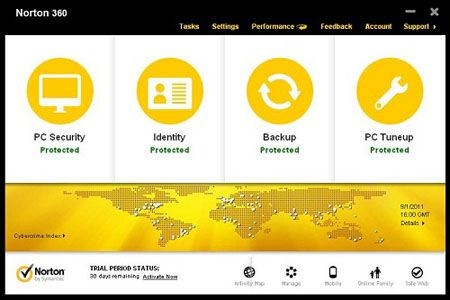
Norton Protection System: Provides industry-leading security with four unique layers of powerful protection proven to proactively stop online threats before they can infect your computer.

The latest upgrade of Norton 360 offers:
*Our best protection and performance ever
*Improved local or secure online backups
*ranked threat and virus removal

Norton 360 v6 includes:
Norton Protection System: Provides industry-leading security with four unique layers of powerful protection proven to proactively stop online threats before they can infect your computer.

Norton Management is cloud based so you can download, install, transfer, update or renew Norton products from anywhere right over the internet.

Norton Identity Safe: Secures, remembers, and automatically enters your website user names and passwords to prevent cybercriminals from stealing your information as you type. Now includes an online version, so you can share logins among additional PCs protected by Norton 2012 products

Parental Controls Management: Lets you track your kids’ online activities through award-winning Norton Online Family, so you can help protect them from online dangers.

Download Insight 2.0: Protects against dangerous applications by telling you if they may harm the health and stability of your computer before you install them
Norton Recovery Tools help remove threats that can be deeply buried in a PC.

What's New in This Release:
· NEW! Provides unprecedented and unmatched threat detection — Adds an additional layer of protection to detect viruses, Trojans, spyware, and other threats. Norton reputation service technology scrutinizes different attributes of files and applications in real-time to determine if they are safe.
· NEW! Warns you of dangerous downloads — Proactively protects you by analyzing newly downloaded files and applications for threats before you install or run them on your PC.
· NEW! Helps you improve and maintain PC and application performance —Identifies applications that may be impacting your PC’s performance, making it easier to keep your computer running at its best.

* Industry-Leading Layered Security helps protect you against advanced threats through a combination of definitions and heuristic and behavioral technologies give you confidence that your PC is secure.

* Network Monitoring protects your home network against unauthorized access by detecting whether your connected wireless network is secure or not secure, providing you with a visual picture of your network and each device that is connected to it and let’s you view the security status of the Norton protected computers on the network.

* Backup provides for new backup destinations including HD-DVD and Blu-Ray disc and iPods, while continuing to support the widest range of mapped and networked storage drives and an included 2GB of online storage, providing more options for backup than any other product in its class

* Registry Cleaner helps optimize performance by removing unneeded Windows registry files to help keep your computer healthier and running more efficiently.

* Phishing Protection for Firefox: Phishing Protection guards online attempts to steal your personal information using real-time analytics to identify and block fraudulent web sites, and now supports both the Firefox and Internet Explorer browsers.

* Diagnostic Report provides a convenient system snapshot for easier troubleshooting and problem diagnosis of any PC issue by collecting detailed system information including operating system, installed applications, startup applications, hardware configuration, and more and delivers it to you in a viewable, printable format that you can save or email to whomever you go to for help.

* Fast, Easy Access to Settings and Tasks means that although Norton 360 does all the work for you automatically and quietly in the background, you can choose to do things manually such as run a scan, modify a backup job, query status, check for the latest updates, or just do some cleanup and optimization.

· Norton protection technology is proven to deliver effective protection from online threats.
· Four different layers of smart protection proactively detect and eliminate threats before they reach your computer.
· Identifies and stops new threats faster than other less sophisticated security software. Browse, shop, bank and socialize online without worry, annoying slowdowns or disruptions
· With more than 20 intelligent sensors and superior performance, Norton 360 won’t slow you down.
· Scans email and instant messages for viruses, suspicious links, infected attachments and other dangers before you open them.
· Identifies safe websites, proactively blocks unsafe sites and stops online threats before your browser even loads.
· Secures and remembers user names and passwords to prevent cybercriminals from hacking into your PC and swiping your information.
· Help protect your kids from Internet dangers with award-winning Norton Online Family
· Parental Controls Management lets you easily connect to Norton Online Family right from within your Norton Control Center.
· Lets you know what your kids are up to online by tracking which websites they visit, and allows you to block inappropriate sites.
· Keeps an eye on your kids’ social network activities and who they’re chatting with online, so you can spot potential dangers.
· Protect your photos, music, videos and other important stuff from loss with automatic backup
· Automatically backs up and encrypts your important files, so you can get them back in case of a hard drive crash, natural disaster or other mishap.
· Safeguards your important stuff either online to our state-of-the-art data centers or to one of your external storage devices.
· Includes 2 GB of secured online storage

What's New in This Release:
· NEW! Provides unprecedented and unmatched threat detection — Adds an additional layer of protection to detect viruses, Trojans, spyware, and other threats. Norton reputation service technology scrutinizes different attributes of files and applications in real-time to determine if they are safe.
· NEW! Warns you of dangerous downloads — Proactively protects you by analyzing newly downloaded files and applications for threats before you install or run them on your PC.
· NEW! Helps you improve and maintain PC and application performance —Identifies applications that may be impacting your PC’s performance, making it easier to keep your computer running at its best.

Download:

 
 shareflare.net

turbobit.net

http://adf.ly/7Fp8e

filefactory
http://adf.ly/7Fp9R

FREE Windows Tuner 1.1 + Portable


FREE Windows Tuner 1.1 + Portable | 1.07/1.1 Mb

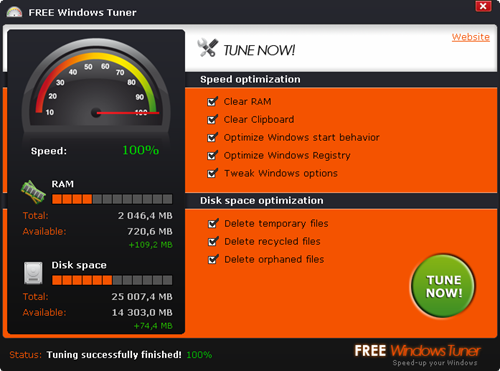
FREE Windows Tuner optimizes your system extensively, removes unnecessary resource hogs, creating a clean environment. The difference is immediately noticeable. Your system is very slow? FREE Windows Tuner cleans up your system, increases system boot speed and enables hidden Windows options and tweaks. Forget expensive system optimization utilities! FREE Windows Tuner is freeware and costs not even a penny. That's all you need!

Windows Registry
Find and remove errors and orphaned registry keys.

RAM
Up to 30% increased system speed by profound optimization of RAM.

Windows Tweaks
Enable hidden performance-related Windows options.

Hard Disk Turbo
Individual optimization of the HDD interface for faster access times.

System Start
Up to 15 seconds less waiting time at Windows startup.

Orphaned Links
Intelligent removal of orphaned files and shortcuts from the desktop and other system folders.

Process Cleaner
Disabling unnecessary, resource-guzzling system processes.

Notebook Powersafe
Optimization of the power consumption, up to 30% longer battery life.

freewindowstuner.com

DownLoad
FREE Windows Tuner 1.1
Letitbit
Turbobit

FREE Windows Tuner 1.1 Portable
Letitbit
Turbobit

Super Flexible File Synchronizer v5.70 Mac OS X


Super Flexible File Synchronizer v5.70 Mac OS X | 20.4 MB


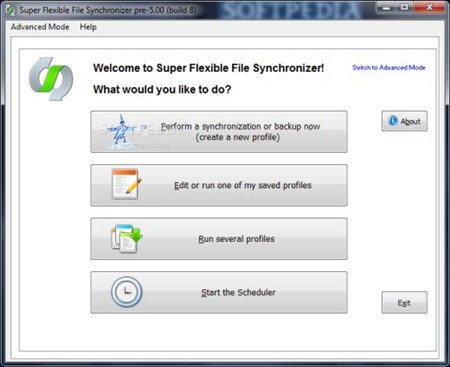
Back up your data and synchronize PCs, Macs, servers, notebooks, and online storage space. You can set up as many different jobs as you need and run them manually or using the scheduler. The software works with local hard drives, network drives and any other mounted volumes. In addition, it comes with support for FTP, SSH, HTTP, WebDAV, Amazon S3, and Google Docs. You can use ZIP compression and data encryption. There are powerful synchronization modes, including Standard Copying, Exact Mirror, and SmartTracking.

New Features In Version 5 For Mac
• Run Jobs In Parallel and In Background: The Scheduler can now run several jobs simultaneously. By right-clicking one or more profiles, you can run them in the background and in parallel.
• Create 100% identical bootable copies: Version 5 can now create 100% identical, bootable copies of system volumes. To achieve this, it now copies several specialty items of the Macintosh file systems that were ignored by version 4. In particular, it now copies Extended Attributes, hard links, BSD flags, ACLs, Finder Info for folders, and other items. To compare existing backups in terms of these special items, use the following new checkmarks on the tab sheet Comparison-]More: Compare Attributes, With Extended Attributes, Compare Permissions, With ACLs, Enforce Hard Links.
The program must be "Run as root" to achieve 100% identical copies.
• Passes the enhanced "Backup Bouncer" test
by Nathanial Gray and Mike Bombich.
• Background Scheduler Icon: The Background Scheduler now has an icon with menu in the info area (top right of menu bar).
• GUI Improvements including proportional scroll bars, mouse wheel support, mouse pointer and dialog positioning fixes.

Yummy FTP v1.8.9 Multilingual Mac OS X


Yummy FTP v1.8.9 Multilingual Mac OS X | 5.2 MB
Languages: English, French, German


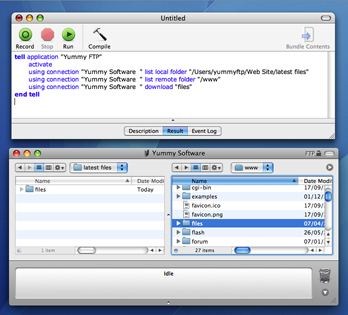
Yummy FTP was designed to deliver speedy and trouble-free file transfers, using a highly tuned multi-connection file transfer engine coupled with an intelligent recovery system to automatically handle most file transfer issues - so you don't have to! This is complimented by an elegant, easy to use dual pane user interface and an impressive feature set, with many unique and useful capabilities waiting to be discovered.

WHAT'S NEW
Version 1.8.9:
Enhancements
• When renaming a file to that of an existing file a confirmation warning is shown
• When the Mac home folder path does not exist the displayed message is clearer
• AppleScript-driven SFTP connections can now issue arbitrary shell commands
• Filezilla and Flow bookmarks can now be imported
• Improved compatibility with exceptionally slow servers
• Import Bookmarks window now only pre-selects import of installed apps
• DualBrowse sync sorting can now be disabled
Bug Fixes
• Server-side Exclude contextual menu is no longer hidden in the MAS version
• Duplicate items are no longer created for Transmit 4 favorites import
• Default timeout value increased to allow for slower connecting servers
• Fixed incorrect warnings of a newer file on the server when saving remote edits
• Fixed a toolbar display glitch when displaying an alert during connection time
• Corrected some Dutch localizations
• Removed a delay when diffing with some tools such as FileMerge
• Fixed an issue with font rendering in UI elements, particularly in Chinese systems
• Corrected some Chinese localizations
REQUIREMENTS
PPC / Intel, Mac OS X 10.4 or later

Registry Purify v5.25

 
Registry Purify v5.25 | 7.6 MB


Registry Purify analyze and clean invalid entries in Windows registry, backup and restore entire registry in system file level, compact registry to gain efficiency. It uses robust analyzing algorithm to scan your entire Windows registry for any invalid entries and provides you with a list of all registry errors found, you can then choose to selectively clean each item or automatically repair them all.

Main Features:
• New Scan Engine
Registry Purify improves analyzing speed over 50% than normal algorithm by using new "SharpANA Engine". Meanwhile, "SharpANA Engine" reduces reading of hard disk evidently, which protects your hard disk effectively. The proper use of multithread technology, reduces consumption of system resources.
• Automatic Undo File Creation And Easy Recover
For your convenience and for insuring maximum protection, Registry Purify automatically create undo file for any repairs made so that you can easily recover any changes again if required.
• Build-in Microsoft Registry Editor Support
By double click any entry found in Registry Purify list, Microsoft Regedit will run focusing on the entry you just clicked. It is convenient for you to examine each entry detailedly and then make your decision.
• Microsoft Regedit compatible Undo File
Registry Purify's registry undo file is compatible with Microsoft Windows Registry Editor Version 5.00. The registry file is fully opened to end users, meaning that you can edit directly or just import manually by double click on it.
• User Friendly GUI Interface
Registry Purify is powerful and simple to use. Its Interface has all the functionality and performance required in today's computing environments.
• Simple But Powerful and Safe
Registry Purify safely scans inside your Windows registry for errors, using robust analyzing algorithm, and repairs them with just a few mouse clicks.
• Registry Compact To Gain Read / Write Efficiency
When cleaned many invalid registry entries, registry compact is necessary to your registry. Registry Purify rebuilds the registry removing blanks in the entries to compact your registry.
• Reliable Registry Backup
Registry Purify supports registry backup of different time and creation any number of backup depending on your free hard disk space. For your convenience, registry backup file name takes format of "Year / Month / Day / Hour: Minute: Second".
• Efficient Registry Restore
In one simple dialog interface, registry restore and backup deletion can be finished easily and explicitly. Although number of? backup is not limited, Registry Purify will remind you to delete some backup when the number of registry backup is over 3, for backup files can be big.
• Two-Aspect Analyze
While analyzing registry entries, Registry Purify take action in two aspect: one is registry-based analyzing method, another is file-based analyzing method. By using the two-aspect analyze, Windows registry will be analyzed thoroughly to check out more invalid entries than ever.

Letitbit

Advanced Host Monitor 9.16 Enterprise


Advanced Host Monitor 9.16 Enterprise | 17.8 Mb

Program Advanced Host Monitor carries out constant monitoring of availability and speed of servers. In case of errors and failures in server work, HostMonitor warns the manager (or tries to correct a problem independently). In the program 55 methods of testing are used, there is a considerable quantity of options. Besides, HostMonitor allows to create the detailed broad gulls in various formats (Text, HTML, DBF and ODBC), there is the built in editor of reports convenient and the clear interface etc. In the new version work HostMonitor, Log Analyzer, Remote Control Console, RMA Manager, Web Service and MIB Browser is improved.

Features:
• using 60 test methods our software can check almost any parameter of your servers;
• highly flexible action profiles allow you to start actions in predefined order depending on the test results;
• HostMonitor creates various log files using different detail levels and file formats (Text, HTML, DBF and ODBC);
• built-in Report Manager allows you to create and customize reports to your liking in a variety of ways;
• using Remote Monitoring Agents for Windows, FreeBSD, Linux, NetBSD, OpenBSD and Solaris you may easily monitor remote networks;
• Web Service, Telnet Service and Remote Control Console simplifies remote management;
• and this is not all...

Home Page - http://www.ks-soft.net/

Download links:
http://adf.ly/7FnN7

Zoho ManageEngine OpStor 7.0.7400

Zoho ManageEngine OpStor 7.0.7400
Zoho ManageEngine OpStor 7.0.7400 | 40.5 MB

ManageEngine OpStor is an affordable management tool for monitoring your storage devices and SAN management. It offers up-to-date inventory, fault escalation, and periodic performance & availability monitoring of the storage infrastructure. OpStor supports fiber channel switches, RAID / NAS boxes, tape libraries, HBAs, and host servers from popular vendors. It is easy-to-install and run on desktops with a Web-based client interface that offers anytime, anywhere SAN management flexibility.

OpStor SAN Management Highlights

- Auto discovery and inventory modeling provides a comprehensive view of the storage infrastructure
- Multi-vendor support simplifies the management of heterogeneous storage devices through a single console
- Visualization with color-coded device status representation reflects the status of the storage network
- Alarm escalation via email enables quicker action on faults thus reducing downtime
- Periodic performance monitoring helps in understanding resource utilization and health
- Extensive reporting enables better control and decision-making
- Real-time graphing of performance variables helps in easy troubleshooting
- Web-based client improves the flexibility of anywhere anytime management


Download links:
http://adf.ly/7FmtT

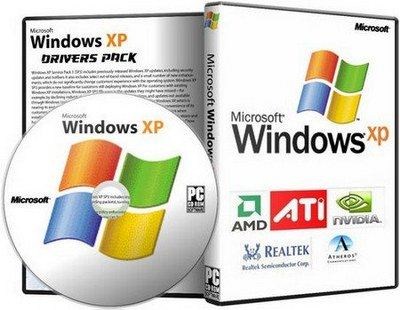
Windows XP Drivers x32/64 2011 Rus/Eng


Windows XP Drivers x32/64 2011 Rus/Eng | 2.06 GB
Year: 2011
Version: (12/25/2011)
Developer: Intel, AMD, Nvidia
Language: English, Russian
OS: Windows XP x32 x64
Platform: PC


A collection of updated drivers for devices running the operating system Windows XP x32/x64, is a most complete and fresh set on 25/12/2011 in this release contains the driver for Stationary (Desktop) and Laptop (Notebook) All drivers are sorted by device and packed in a self extracting archive 7 zip, all drivers were downloaded from the official websites of manufacturers and are the reference (without external changes.)

The list of drivers
(Audio)
* Analog Devices SoundMAX HD Audio Windows XP Driver analog-device hd v.6.10.1.7270 - x32/x64
* Analog Devices SoundMAX AC'97 v.5.12.01.5410 - x32/x64
* Realtek HD Audio Driver R2.66 - x32/x64
* Realtek AC97 Audio Driver v4.06 - x32/x64
* Realtek HDMI Audio Driver R2.39 - x32/x64
* C-Media CM-102 Driver v.5.12.8.2118 - x32/x64
* C-Media CM106 v.2131-2111 - x32/x64
* C-Media CM6501 v.6.12.8.2151 - x32/x64
* C-Media CM8738 v.8.17.34-x32/x64
* C-Media CM8768 v.8.17.33-x32/x64
* C-Media CM8770 v.8.17.33-x32/x64
* C-Media CM8787 v.8.17.47-x32/x64
* C-Media CM8788 v.6.12.8.1772 - x32/x64
* C-Media CMI9880L Driver v.5.12.01.0008 - x32
* C-Media CMI9880L Driver v.5.12.1.9 - x64
* Conexant Hermosa HD Audio Windows XP Driver v.4.36.6.0 - x32/x64
* Conexant HD Audio Driver v.3.73.0.50 - x32/x64
* Conexant Cocoa II HD Audio Driver v.3.80.0.51 - x32/x64
* SigmaTel Audio STAC92xx Driver v.6.10.6207.2 - x32/x64
* VIA HD Audio Driver v.6.0.01.9800c - x32/x64

(Video)
* AMD / ATI Catalyst 11.12 Desktop WHQL x32
* AMD / ATI Catalyst 11.12 Desktop WHQL x64
* AMD / ATI Catalyst 9.3 Notebook WHQL x32
* Intel Graphics Driver
- V.14.38.3 - x32/x64
* Intel Graphics Driver (B43, G41, G43, G45, Q43, Q45, GL40, GM45, GS45, GS40) - v.14.42.11 - x32/x64
* Intel Graphics Media Accelerator v.14.46.8 - x32/x64
* Nvidia 285.58 Desktop WHQL - x32
* Nvidia 285.58 Desktop WHQL - x64
* Nvidia 266.58 Notebook WHQL - x32
* Nvidia 266.58 Notebook WHQL - x64
* VIA CN896 VIA Chrome9 , P4M900 VIA Chrome9 , VN896 VIA Chrome9 HC v.20.50.01a - x32/x64
* VIA VX800 VIA Chrome9 HC, VX820/UT VIA Chrome9 HC v.20.12.01a - x32/x64
* VIA VX855 VIA Chrome9 HCM, VX875 VIA Chrome9 HCM v.24.10.01q - x32/x64
* SiS Video Driver UniVGA v.3.93 - x32/x64

(Chipset)
* Intel Chipset Driver v.9.2.3.1022 - x32/x64
* Intel AMT / MEI / HECI Driver v.7.0.2.1164 - x32/x64
* Intel Management Engine Interface Driver v.7.1.14.1107 - x32/64
* NVIDIA nForce Windows 7 Driver v.15.45 - x32
* NVIDIA nForce Windows 7 Driver v.15.45 - x64
* VIA Hyperion Chipset Driver 5.24a - x32/x64

LAN (Network)
* Atheros (AR8121/AR8113/AR8114/AR8131/AR8132) v.1.0.0.49 - x32/x64
* Atheros (AR813x, AR815x) Driver v.2.0.4.4 - x32/x64
* Atheros (L1 Gigabit Ethernet 10/100/1000 Base-T Controller) v.2.4.7.14 - x32/x64
* Broadcom BCM57xx Ethernet Driver v.14.8.0.5 - x32/x64
* Intel PRO/10/1000 (PRO/10GbE) Ethernet Driver v.16.7 - x32/x64
* JMicron 2xx Ethernet Driver v.6.0.33.3 - x32/x64
* Marvell Yukon Gigabit Ethernet Driver v.11.45.1.3 - x32/x64
* Realtek Ethernet Windows XP Driver v.5.790.0916 - x32/x64
* VIA Rhine Ethernet Driver v.3.87a - x32/x64
* VIA Velocity Ethernet Driver v.1.71a - x32/x64

(Card Reader)
* Alcor Micro Card Reader Driver v.1.7.16.0 - x32/x64
* JMicron JMB38x Driver v.1.00.63 - x32/x64
* O2Micro Memory Stick Reader Driver (OZ6933, OZ711E0, OZ711EC1, OZ711E1, OZ711E2, OZ711M1, OZ711M2, OZ711M3) - v.3.19.1 - x32/x64
* Realtek (RTS five thousand one hundred twenty-one, 5101, 5111, 5116 Card Reader) v.6.1.7600.30127 - x32/x64
* Realtek (RTS five thousand one hundred and fifty-eight Card Reader) v.6.0.6000.83 - x32/x64
* Realtek (RTS five thousand one hundred and fifty-nine Card Reader) v.6.0.6000.20136 - x32/x64
* Realtek (RTS 5 208 Card Reader) v.6.1.7601.85 - x32/x64
* Realtek (RTS 5139 Card Reader) v.6.1.7600.10001 - x32/x64
* Ricoh R5C83x/84x Driver v.2.14.00.05 - x32/x64
* Ricoh R5U23x/24x Driver v.2.15.17.02 - x32/x64

(Wi-Fi)
* Atheros AR50XX Wireless Windows 7 Driver v.9.2.0.427 - x32/x64
* Broadcom Wireless BCM43xx Windows 7 Driver v.5.100.9.142-x32/x64
* Intel Wi-Fi Windows XP Driver v.14.2.0.10 - x32/x64
* Realtek RTL8187S, RTL8191SE Wireless LAN v.6.9110 - x32/x64
* Realtek RTL8180, RTL8185 Wireless LAN v 6.1122.1016. - X32/x64
* Realtek RTL8187B Wireless LAN v.6.1163.62.1182 - x32/x64
* Realtek RTL8187L Wireless LAN v.5.1313 - x32/x64
* Realtek RTL8190, RTL8192E Wireless LAN v.6.1682.0.1222 - x32/x64
* Realtek RTL8191SE, RTL8192SE Wireless LAN v.1094.3.0819 - x32/x64
* Realtek RTL8192CE, RTL8191CE, RTL8188CE Driver v.1005.28.1006 - x32/64
* Realtek RTL81xxSU, RTL8712 Driver v.1084.44.1104 - x32/x64
* Realtek RTL8188CU, RTL8192CU Driver v.1012.1.1231 - x32/x64

System requirements:
OS: Windows XP
CPU: Pentium 1.5 Ghz
VIDEO: Video card capable of 32bit at 640x480
RAM: 512 Mb

download :
part 1 : http://adf.ly/7Fk3z
part 2 : http://adf.ly/7Fk58
part 3 : http://adf.ly/7Fk66
part 4 : http://adf.ly/7Fk8B
part 5 : http://adf.ly/7Fk9e

Altera Complete Design Suite 11.0 SP1 LINUX


Altera Complete Design Suite 11.0 SP1 LINUX
| 7.73 GB

Quartus II software version 11.0, the industry's number one software in performance and productivity for CPLD, FPGA, and HardCopy ASIC designs is

available for download. Quartus II software version 11.0 delivers the production release of Altera's new system-level integration tool known as Qsys. The Qsys system integration tool saves time and effort in the FPGA design process by enabling faster system development and design reuse.

ModelSim-Altera Edition is recommended for simulating all FPGA designs (Cyclone, Arria, and Stratix series FPGA designs)

DSP Builder technology allows you to go from system definition and simulation using the industry-standard MathWorks Simulink tools to system implementation in a matter of minutes. The DSP Builder Signal Compiler block reads Simulink Model Files (.mdl) that are built using DSP Builder and MegaCore blocks and generates VHDL files and Tcl scripts for synthesis, hardware implementation, and simulation.

The Nios II Embedded Design Suite (EDS) is a collection of cutting-edge software tools, utilities, libraries, and drivers to help you bring your design to market in record time.

Whats new?: http://www.altera.com/products/software/quartus-ii/whats-new/swf-qts-whats-new.html

No Password | Single Extraction | Interchangeable Links

Hotfile.com,rapidshare.com,fileserve.com,filesonic.com....
If links die, I will reupload at here.